For today’s lesson, I learned about how a path is created by anchor points and the two types of paths and anchor points.
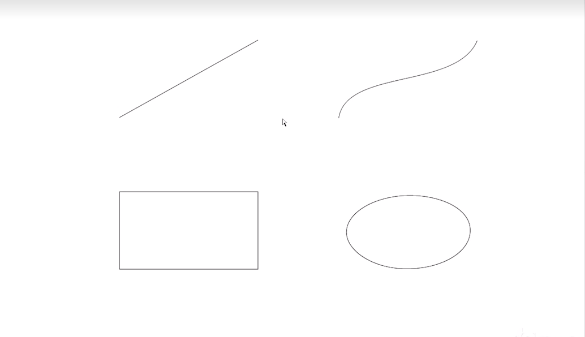
In Illustrator, a path means a line that can be either open, making a line, or closed, creating a shape. Each path consists of 2 or more anchor points. For example, the straight line has 2 anchor points while the rectangle has 4. When the mouse highlights the point, it tells its exact X, Y coordinate. When you click on it, it becomes a corner anchor point since it draws a straight line from the center of the anchor point to its destination, which is the top anchor point. The curved line also has 2 anchor point, however, when the anchor point is clicked, a control arm appears, dictating the direction of the path from that anchor point. It’s referred to as a smooth anchor point because it has the ability to create smooth paths.
Going to the bottom paths, the rectangle to the left has 4 anchor points, and when clicked not only highlights the point, but the entire shape. This shape was made by 4 straight lines with their respective anchor point that continued a path until it became closed, resulting in a rectangle. The oval to the right also has 4 anchor points, but they’re smooth since they’re controlling each other.
 Aleksander’s Blog